
General Settings
11/7/26Less than 1 minute
General Settings
The General tab controls how SoundSwitch behaves at the application level — startup behavior, tray icon and double-click action, audio device cycling, updates, language and theme.
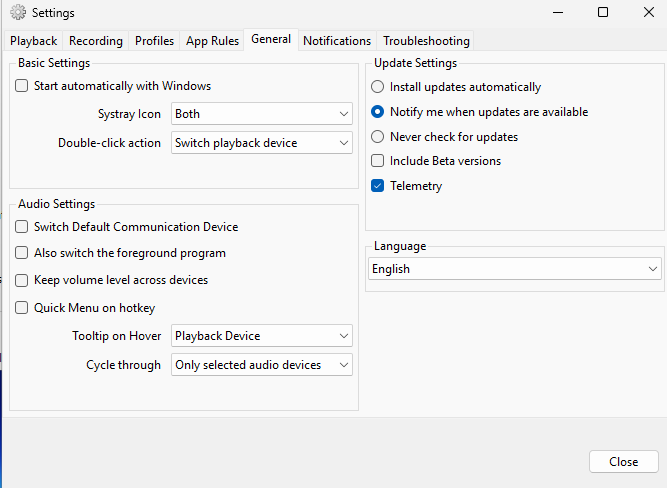
The settings sit in two columns; each section has its own page:
| Section | Page | What it covers |
|---|---|---|
| Left column: Basic & audio settings | Behavior and audio settings | Start automatically with Windows, Systray Icon, Double-click action, default communication device, foreground program, keep volume, Quick Menu, tooltip on hover, cycle through |
| Right column: Update settings | Update settings | Update check and install mode, Beta versions, telemetry |
| Right column: Language & Theme | Language and theme | Interface language and whether SoundSwitch follows Windows or forces light/dark |