
How do I switch between SoundSwitch profiles?
10/19/26Less than 1 minute
How do I switch between profiles?
Since version 6.1.0, switching between profiles uses the same hotkey logic as switching devices: assign the same hotkey to two or more profiles, and SoundSwitch will cycle between them.
Set up cycling profiles
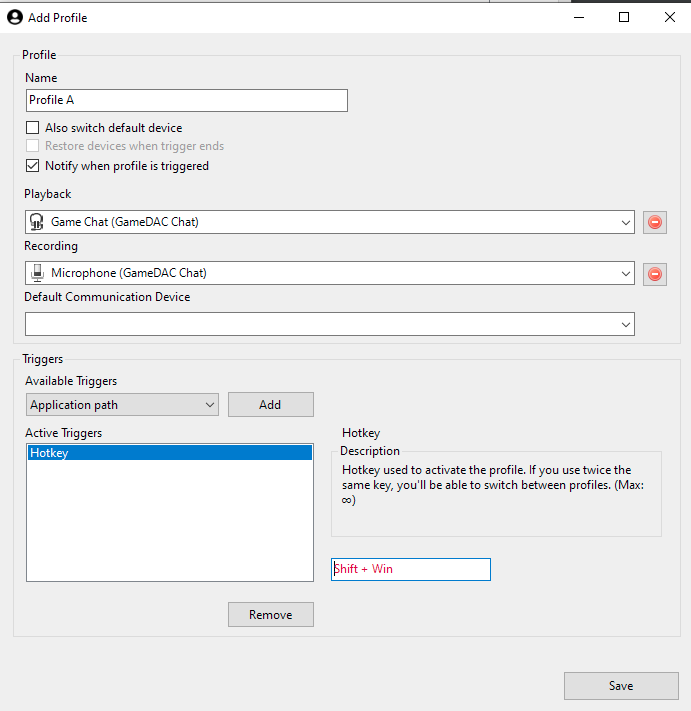
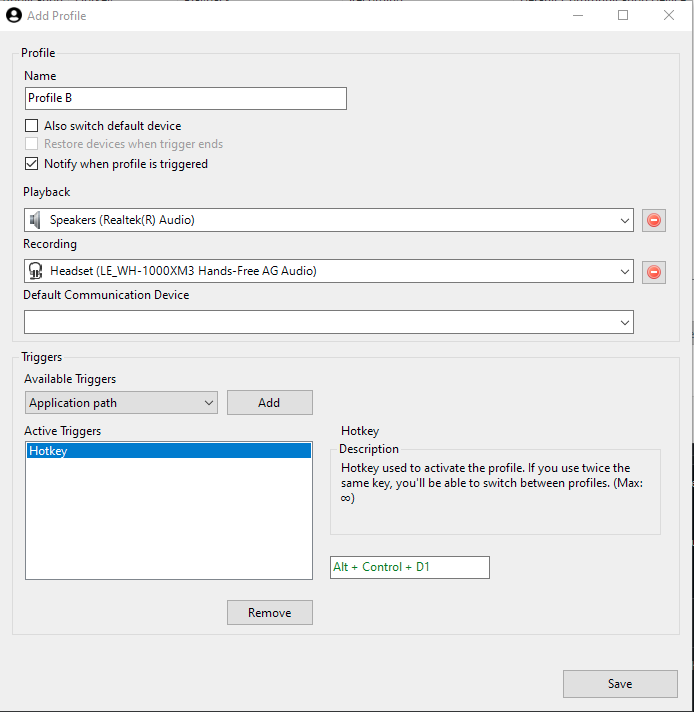
Give each profile you want to cycle through the same hotkey:
Profile A
Profile B
Using the hotkey
When you press the shared hotkey, SoundSwitch displays a Quick Menu showing the available profiles:
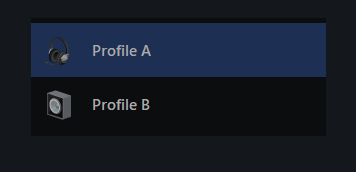
Each subsequent press of the hotkey moves the selection to the next profile. You can also click any profile in the menu to switch to it directly.
Source: #738